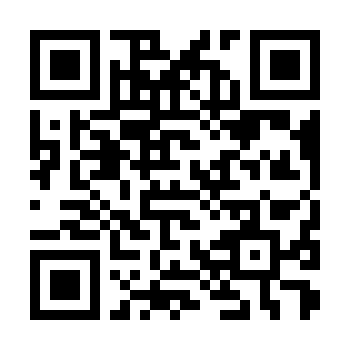
Kiki Phone QR
Scans to dial 702-775-2749 directly.
QR CODES • CONTACT • SOCIAL
The Kiki phone QR is live now. The WeChat QR and the extra QR section are ready for you to replace when you provide the final codes.

SCAN TO CONNECT
This page was added specifically for QR information and easier contact access.
Scans to dial 702-775-2749 directly.
Placeholder ready. Replace assets/images/wechat-qr-placeholder.png with the actual WeChat QR image when available.
Placeholder ready for any other QR code you provide later.
Kiki
Use the inquiry form or the phone QR code to contact Kiki about class information, schedules, or enrollment questions.
assets/images/.